
Revision sheet
Robotic surgery: the basics
6 steps, each one the authored title and caption from the interactive animation, with the frame captured from that step. Read it before the case, or print it and work through the steps in order.
Teaching only, not for diagnosis or treatment decisions. The text on this sheet is the animation's own step copy, reproduced verbatim.
UrOops3D · UroRef · © Nity G
- 01
Why robotic
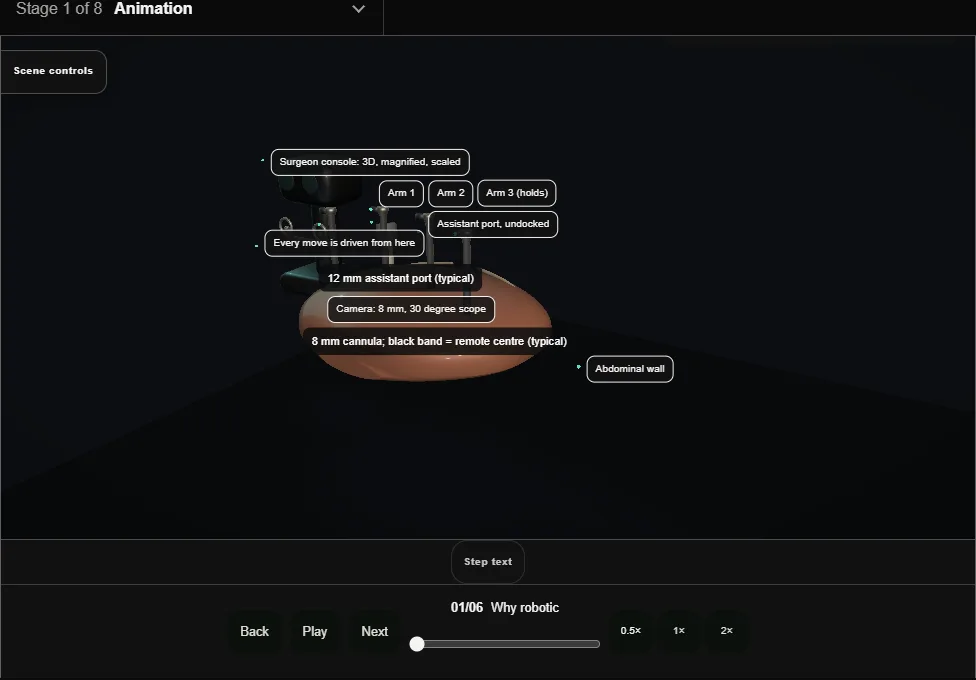
- The robot is not autonomous: the surgeon sits at a console and drives every move.
- What it buys is a magnified 3D view, instruments that wrist like a hand, and motion that is scaled and tremor-filtered before it reaches tissue.
- 02
Docking
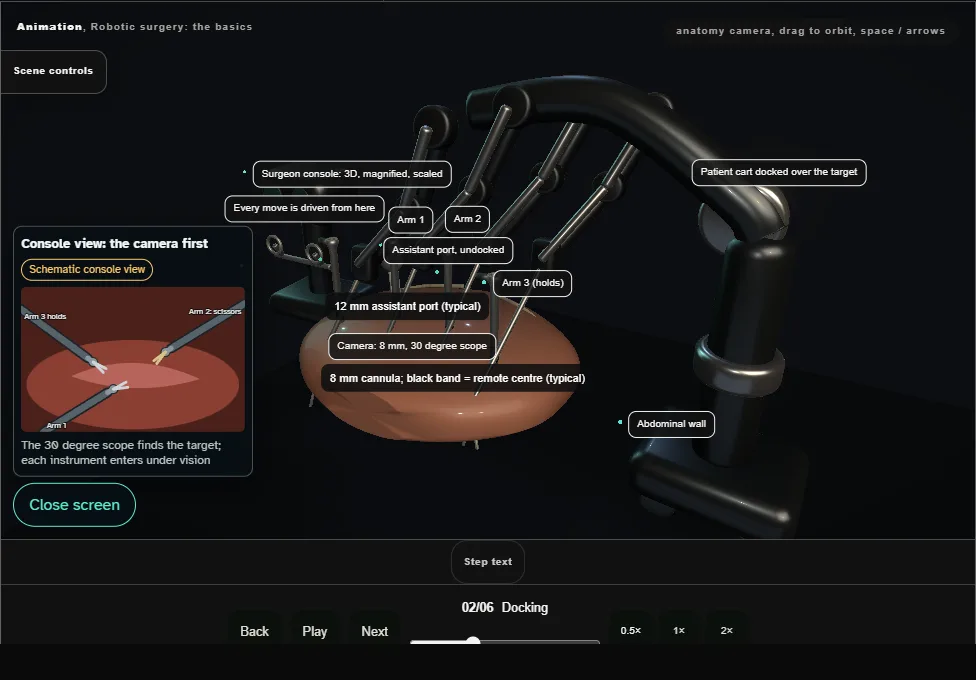
- Pneumoperitoneum and the head-down tilt come first (typically 12 to 15 mmHg and 25 to 30 degrees for the pelvis).
- The cart rolls in over the target and each arm is docked to its cannula, the remote centre at the body wall.
- Clearance between arms decides whether the case flows or the arms fight each other all night.
- 03
The EndoWrist
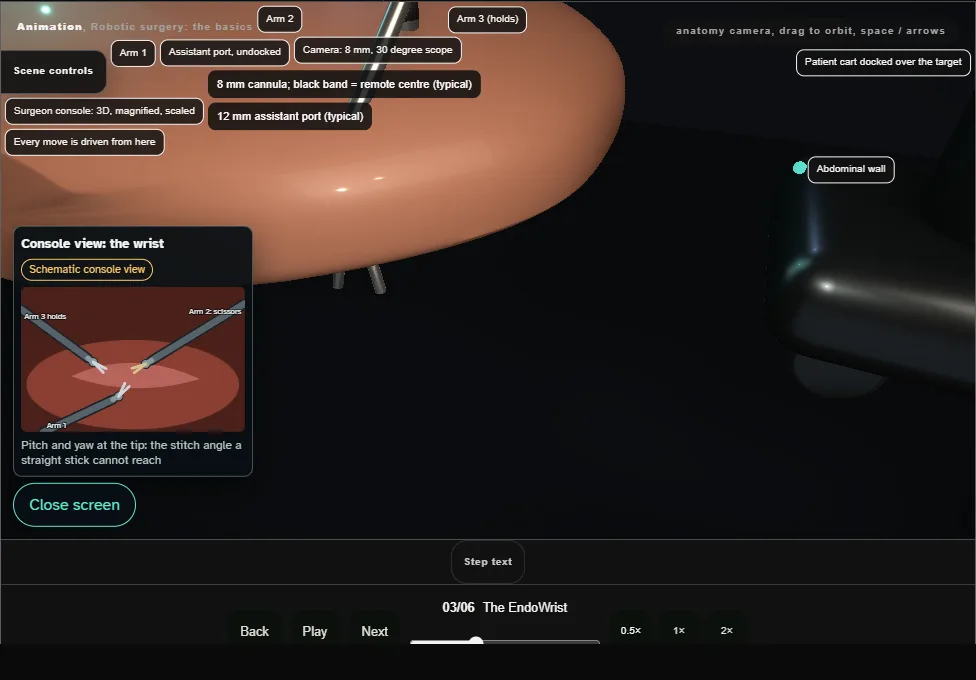
- Straight laparoscopy gives you a stick; the robotic tip gives you a wrist.
- Pitch and yaw at the instrument tip restore the degrees of freedom a closed abdomen takes away, and deep corners stop being a negotiation.
- 04
Instrument exchange
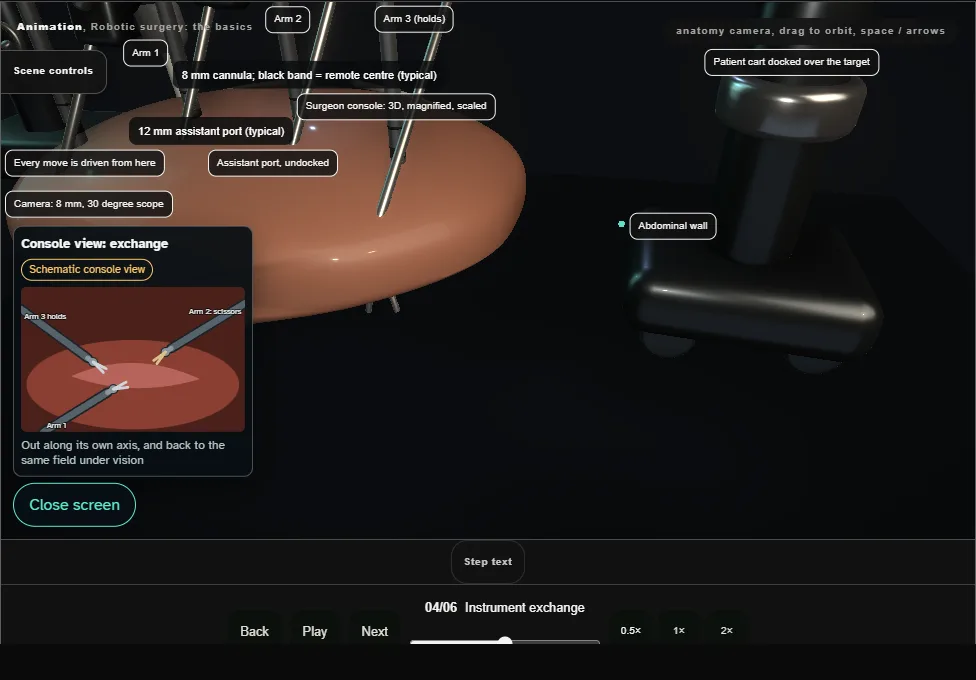
- Instruments swap under vision and along their own axis: retract out of the tissue, lift, exchange, and return to the same field.
- A lateral sweep with an instrument you cannot feel is how serosal tears happen unseen.
- 05
Fire and stitch
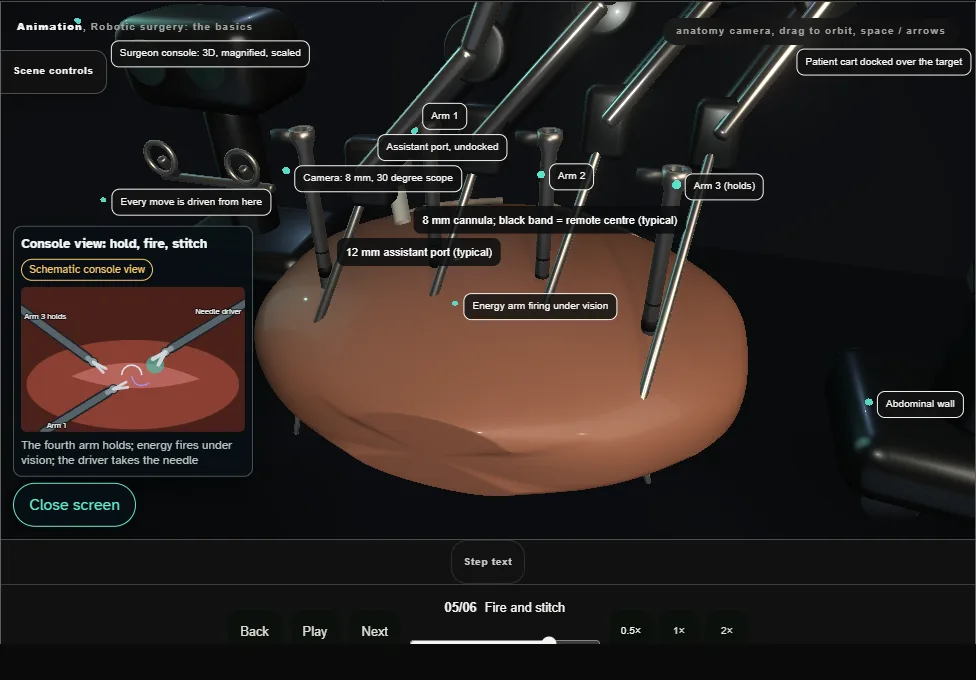
- One arm holds, one arm works: energy fires under vision while the needle driver closes around what the scaled motion hands it.
- The fourth arm holds; the bedside assistant sucks, clips and cuts through their own port.
- 06
The trade-offs
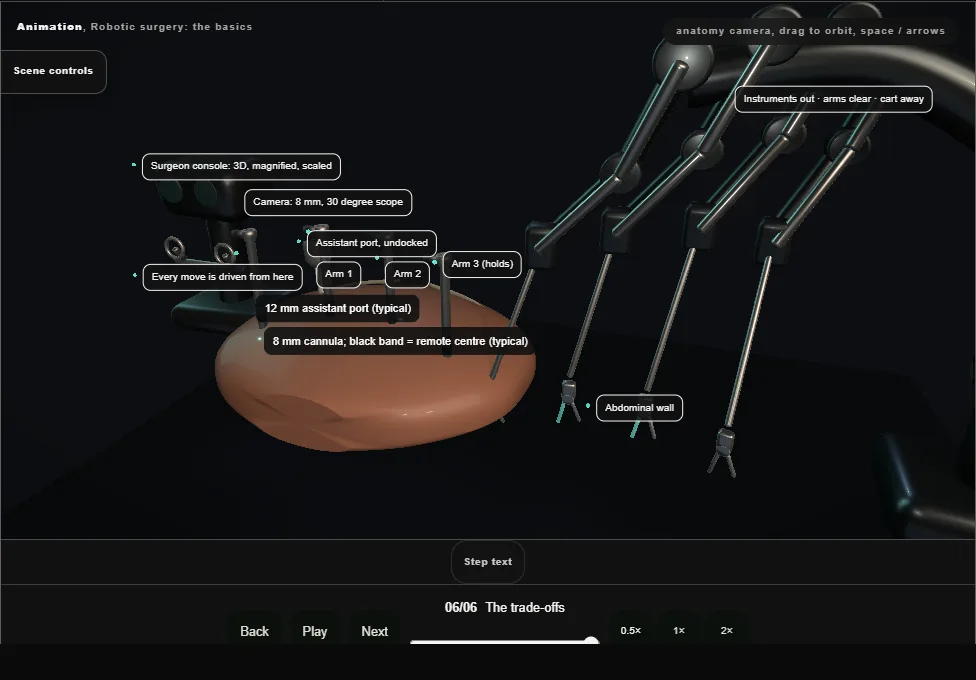
- No haptics: force is judged by how tissue deforms under the tip, by blanching, never by feel.
- Arms collide where docking was rushed.
- And every team rehearses the emergency undock: instruments out along their axis, arms clear, cart away, open in seconds.
Derived from RoboticBasicsScene.tsx at build time: every step title and caption above is the authored
ProcedureDef text, reproduced verbatim, and this page shares its readable-points renderer with the animation
itself. 6 of 6 steps have a captured frame.
Text fingerprint 24dac53238b223ba. A caption edit without a re-capture fails the production
check, so the sheet and the animation cannot drift apart silently.